Image editing
Within the Image Editing module, you can create new images based on uploaded images and prompts. To create an image:
- Add one or more images to the module.
- In the prompt field, describe what should be done with the image(s).
- The more specific the prompt, the better the result.
- Example: If you uploaded two images — the first of an empty living room and the second of a couch — you can write in the prompt that you want the couch placed within the living room.
- Click the “Generate now” The image will start generating, which may take a few seconds.
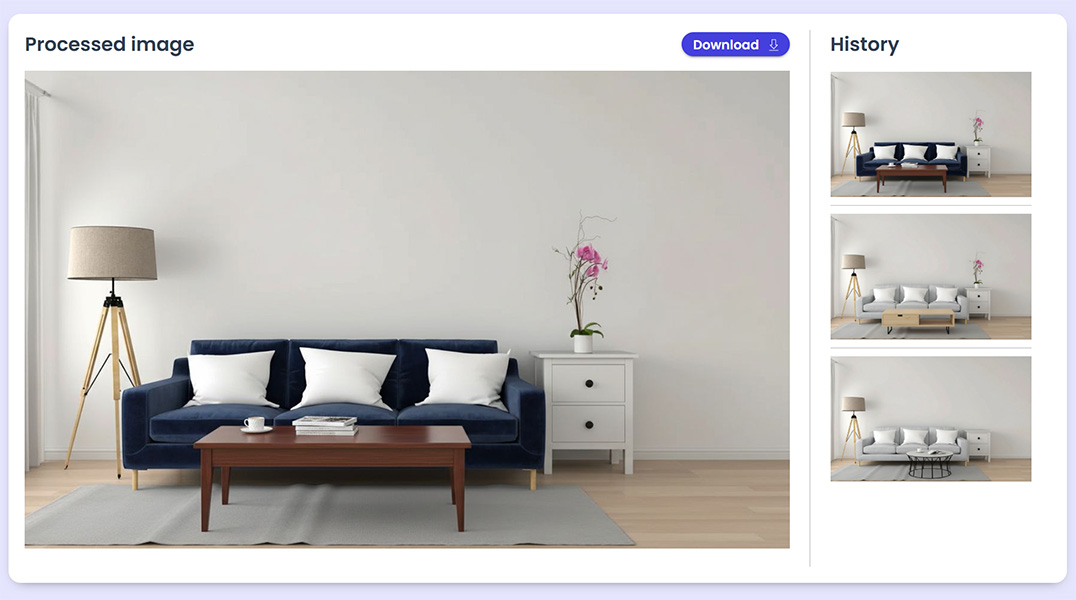
After the image is generated:
- It will appear in the processed image box.
- All generated images from the last hour will also appear in the History
- Clicking on an image in the History tab will display it in the processed image box.
- Once satisfied, click “Download” to save the image to your computer.