Add assets to category
To add assets to a category, start by navigating to Assets in the main menu. You’ll see an overview of all available assets.
Use the search bar to locate the asset you want to assign to a category. Once found, click the checkbox in the top-right corner of the asset to select it.
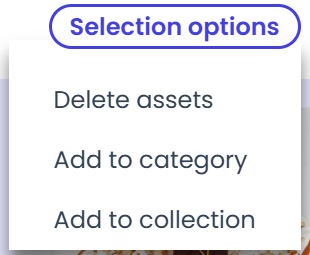
Next, hover over the “Selection options” button at the top of the page. A dropdown menu will appear — choose “Add to category.”
A sidebar will open with a single option:
-
Category
Select the category where the asset should be placed
After selecting the category, click the “Add to category” button. The asset will now be added to the chosen category.