Export revision
To export a revision:
-
Go to Reviews, where an overview of all reviews will be shown.
-
Select the review you want to export by clicking on the review name or selecting edit in the dropdown.
-
The review will load. Hover your mouse over the “Export” button in the top-right corner.
-
A dropdown will appear with two options:
-
With comments
-
Without comments
-
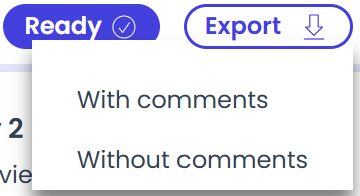
- Select the desired option, and the download will begin within a few seconds.