Set up two-factor authentication
Two-factor authentication (2FA) adds an extra layer of security to your Creationhub account. Depending on the configuration of your Creationhub environment, 2FA can be:
- Disabled – 2FA is not available for users in the environment.
- Optional – users can decide whether they want to enable 2FA for their account.
- Enforced – all users in the environment are required to use 2FA.
When 2FA is enforced, you will be prompted to set up two-factor authentication When you log in before you can continue. To complete the setup, you will need an authenticator app installed on your phone.
Set up your authenticator app
To set up two-factor authentication:
- Enable two-factor authentication in your CreationHub account.
- Open your preferred authenticator app, for example Google Authenticator or Microsoft Authenticator.
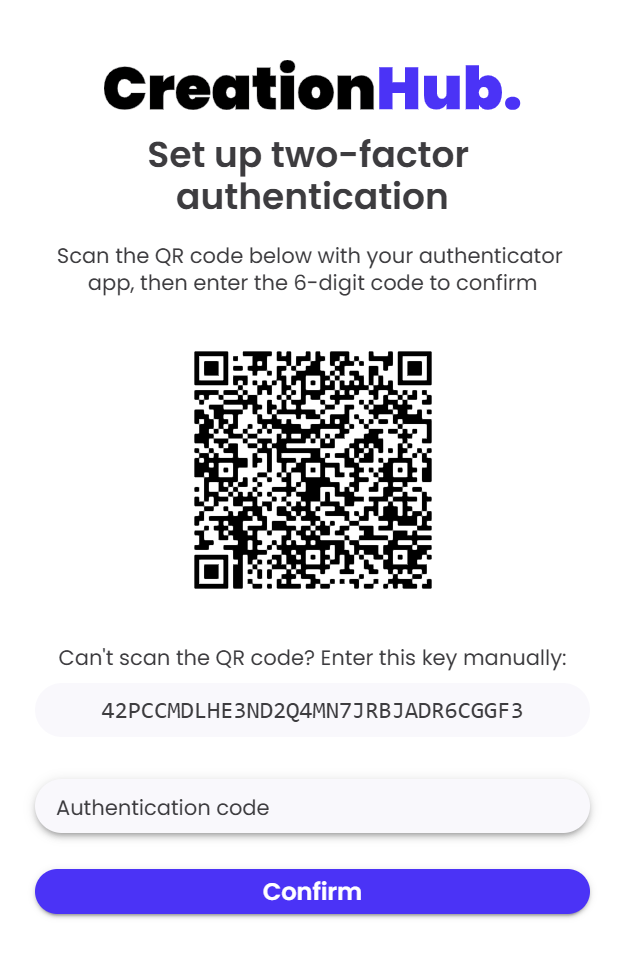
- Scan the QR code shown on the screen.
- If you cannot scan the QR code, enter the key shown below the QR code manually in your authenticator app.
- Your authenticator app will generate a 6-digit authentication code.
- Enter this code in the “Authentication code” field.
- Click “Confirm” to continue.
Save your recovery codes
After confirming the authentication code, a set of recovery codes will be displayed.
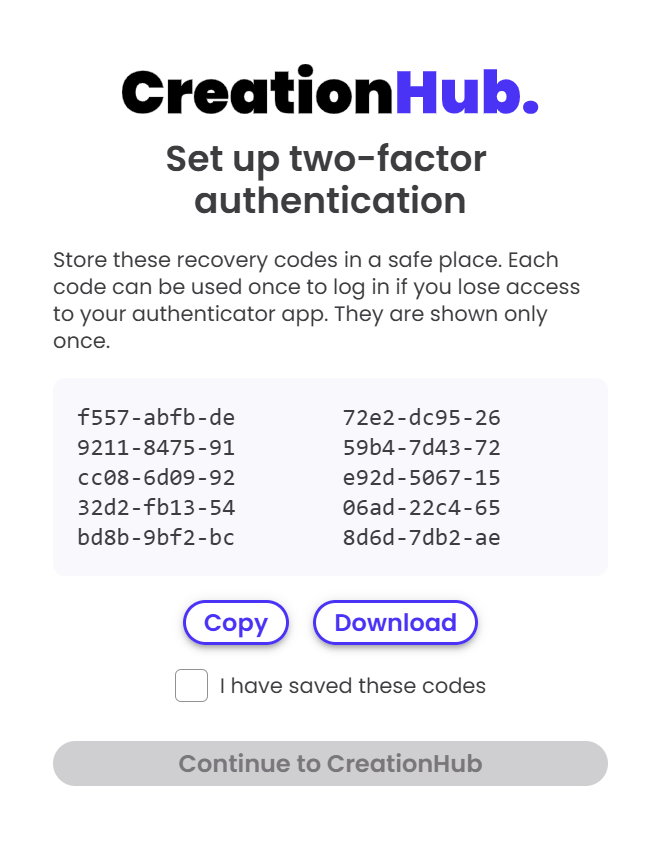
To save your recovery codes
-
- Click “Copy” to copy the recovery codes or “Download” to download them.
- Store the recovery codes in a safe place.
- Once you have saved the codes, check “I have saved these codes”.
- The “Continue to CreationHub”button will become available.
- Click “Continue to CreationHub” to complete the setup.
Please note: Recovery codes can be used to log in if you lose access to your authenticator app. Each recovery code can be used only once. If needed, you can retrieve your recovery codes from your account settings. However, it is recommended to store them securely when setting up two-factor authentication and avoid retrieving them unnecessarily.